Themes and fonts
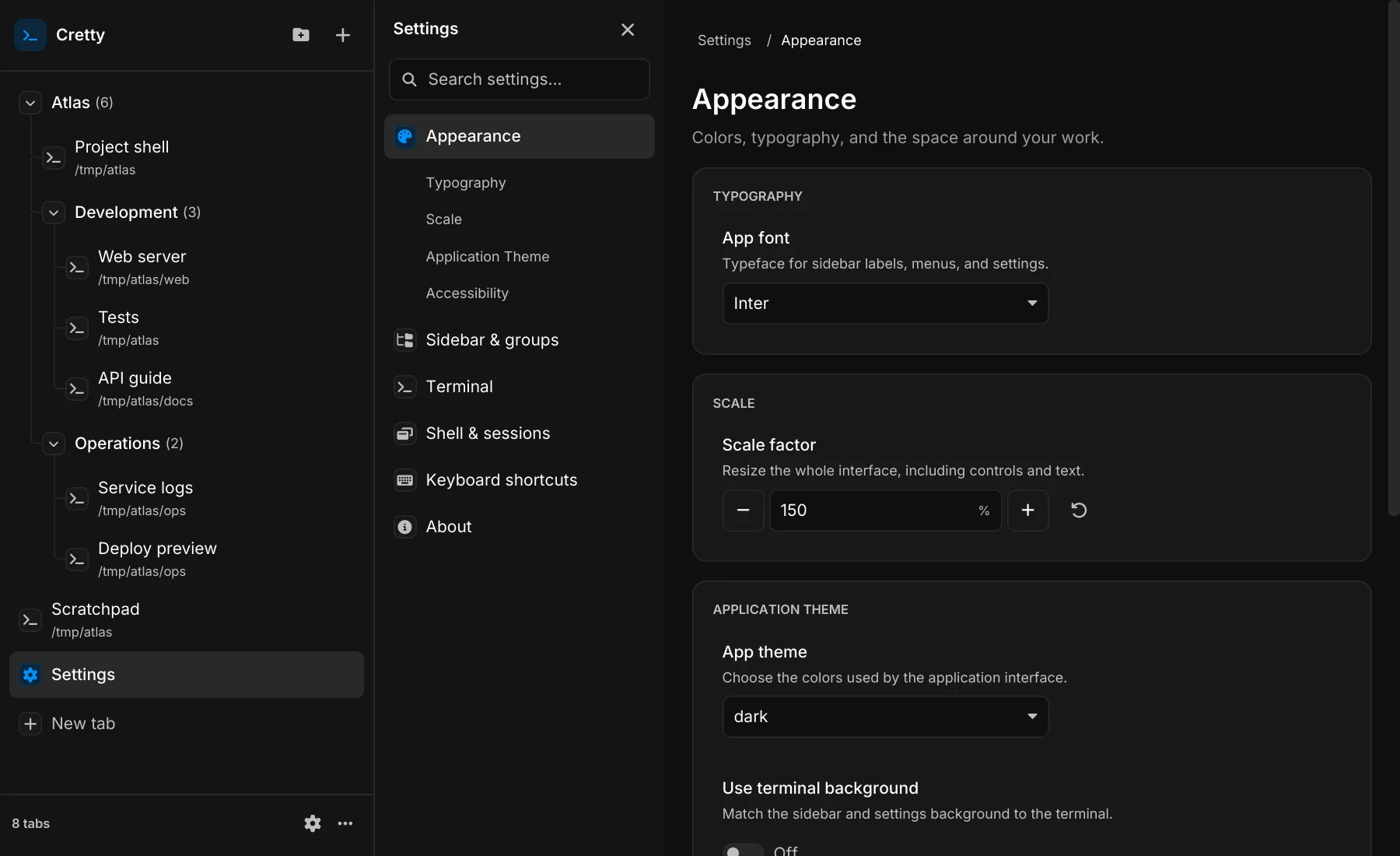
Open Settings from the sidebar footer. It opens as a tab and can be moved, grouped, or restored like other tabs. Search by name, description, or shortcut to reveal a control. Reset returns a setting to its default.
Appearance and layout
Section titled “Appearance and layout”Choose application and terminal themes independently. Appearance controls interface fonts, scale, and colors; Terminal controls terminal type, colors, line height, margins, and viewport filling. Use terminal background lets the application chrome follow the terminal palette.
Sidebar & groups controls row density, indentation, nesting lines, selection highlights, and the New tab button’s position. Indentation and row density are independent. Shell & sessions covers shell startup, scrolling, restoration, and close confirmations.
Changes apply to existing terminals where supported. You can also edit
config.toml; valid changes reload automatically:
[terminal]theme = "catppuccin_mocha"
[appearance]theme = "dark"font = "Inter"
Theme names are case-sensitive. For all settings and defaults, see the configuration reference.
Accessibility
Section titled “Accessibility”In Appearance → Accessibility, Reduce motion removes transitions, rotating progress indicators, and bell flashes. Higher contrast strengthens interface text and borders while preserving terminal colors. Inputs, sidebar rows, and menus show keyboard focus; the palette and Settings search support Up/Down, Enter, and Escape.
Custom terminal themes
Section titled “Custom terminal themes”Define a palette in [terminal_themes], then select it with terminal.theme:
[terminal_themes.ocean]name = "Ocean"background = "#10202b"foreground = "#d8dee9"cursor = "#88c0d0"normal_blue = "#5e81ac"bright_blue = "#81a1c1"
[terminal]theme = "ocean"
All color fields are optional. Per-color overrides in Settings expand in place; clear one to follow the selected theme again.
Custom application themes
Section titled “Custom application themes”Define a named table and select it with appearance.theme:
[app_themes.ocean]name = "Ocean App"background = "#10202b"foreground = "#d8dee9"muted = "#8f9bb3"primary = "#88c0d0"success = "#a3be8c"warning = "#ebcb8b"danger = "#bf616a"
[appearance]theme = "ocean"
Terminal fonts
Section titled “Terminal fonts”Cretty bundles FiraCode Nerd Font Mono, Hack Nerd Font Mono, and
JetBrainsMono Nerd Font Mono. The default is monospace; installed system
fonts can also be selected.
Use terminal.font.family and terminal.font.size for the primary face.
terminal.nerd_font_fallback fills missing symbols with embedded Nerd Font glyphs.
Adjust terminal.ligatures and appearance.line_height to fine-tune text.